Skip to case study

Work / LiftSystem

B2B website Information architecture Accessibility UI and design system Sales copy WordPress

LiftSystem

A new website for a Lower Silesian lift maker and service company, built for the boards and cooperatives that decide and for the engineers who send in a drawing.

Role

UX/UI Designer · Information architecture

Client

Lift maker and service company · Lower Silesia

Scope

Discovery to hi-fi, design system, sales copy

Platform

Desktop and mobile web · WordPress

01

The old site hindered sales, and the buyer is a board member

Who decides, what was broken, and the one criterion set before any layout.

LiftSystem makes, modernises, installs and services lifts in Lower Silesia. Its own verdict on the old website was that it did more harm than good in winning clients. The goal for the next one to three years is growth in lift sales and in service.

The decision is rarely made by an engineer. Housing communities and cooperatives choose through boards and tender committees, often older and not technical. Clients arrive in three ways: a tender, a referral, or a technical problem that few companies can solve. Before deciding they ask for a quote with a description, sometimes a drawing, and almost always photos.

So the first report set one criterion above the layouts: readable for people born before 1970. Accessibility was written down as the primary criterion, not as an optional extra to the mockups.

The result is a site built around those buyers. A tender engineer uploads the specification, a board member checks funding or asks for a quote, and anyone with a fault finds the 24/7 number first.

02

Four rules the structure was not allowed to break

Written before the wireframes and used as the test for every page.

Readable first

Large type, strong contrast, big fields and buttons, plain Polish with no anglicisms. The audience is board members born before 1970, and the first report made this the primary criterion.

Two doors

A fault is a phone call and an offer is a form. The first fold carries both, a quote button and a fault button, with a 24/7 line in the header. The client takes faults by phone only, so no emergency form was built.

Promise only what service can keep

I write claims such as response times with the client and agree them with service before they reach a headline. For a person stuck in a cabin a slow number is the wrong message, so the fault card speaks of an immediate reaction.

An editor can run it

More than one non-technical person adds realisations, at least twice a year. The site runs on WordPress with a lightweight custom theme, and a realisation is a fixed template with optional fields.

03

Three ways in, five offers, two levels of navigation

The sitemap that came out of discovery and the client’s written answers.

On every pageheader with the main menu, a Contact button and a 24/7 alarm bar; footer with contact data and legal pages

  • Home

  • About the company

  • Offer

    • Service
    • Modernisation
    • Replacement
    • Replacement with rebuilt access
    • New installation
  • Grants and accessibility

  • Realisations and references

    • Realisation template
  • Careers

    • Job offer template
  • Blog

    • Article template
  • Contact

10 pages3 templates2 navigation levels

Service is the door, modernisation is the lesson

Service needs the least thinking, so it sits first and asks for little. Modernisation needs the most explaining, so it gets two variants, partial or complete, a five-step process and a slot for before and after.
No lock-in is the positioning

The company produces its own structures and controls and builds lifts that do not tie the owner to one service company. The two global manufacturers audited as benchmarks run closed ecosystems with menus four or five levels deep and English product names. This site goes the other way: two levels, plain words.

Room to grow without a rebuild

A place is reserved for a needs configurator, FAQ appears only on the offers that need it, files sit on offer pages instead of a download section, and a realisation is a fixed template the client can fill alone.

04

From project to service, every stage under one roof

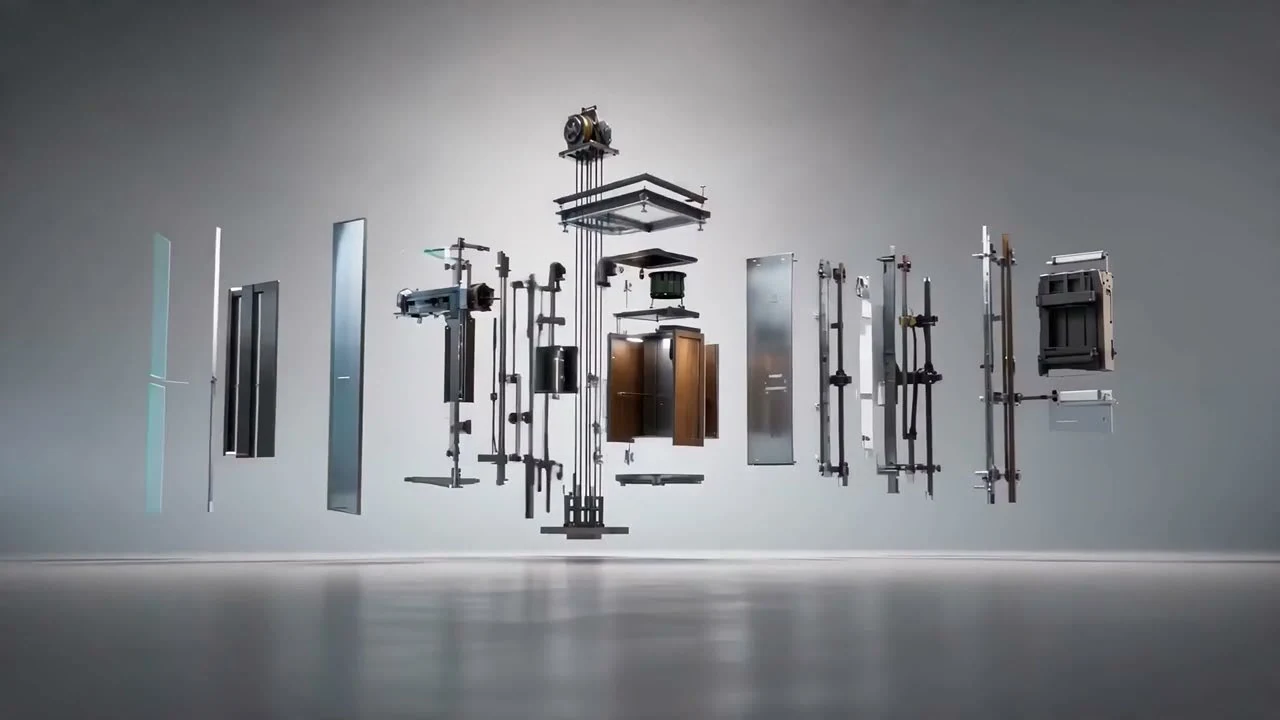
The site promises control of every stage. This sequence shows what that promise looks like, and it follows your scroll.

An exploded view of a lift: cabin panels, doors, drive and guide rails floating apart before assembly
  1. 01 Project

    Designed to the building

    Every lift starts as a drawing for one shaft. The parts are specified before anything is made.

  2. 02 Production

    Made in house

    Structures and control boards are produced by the company itself, with open control that does not lock the owner in.

  3. 03 Fitting

    Fitted and accepted

    Fitting, commissioning and acceptance by the technical inspection authority close the investment.

  4. 04 Service

    Kept running locally

    A 24/7 emergency line, parts from the company's own stock and a service team from the same region.

Illustration: an animated model, not a photograph of a LiftSystem installation.

05

Six screens and the decision inside each

Exports from the hi-fi and wireframe files, each with the decision it carries.

Home the first fold

Two intents, two buttons, one promise

The first fold says what the company is, modern lifts without technological lock-in, and offers two actions of equal weight: ask for a quote or report a fault. A four-step bar, project, production, fitting, service, tells the offer in the order a client lives it.

Below it, three cards carry the positioning in the company's own words: own production, no lock-in, local service.

Home page first fold with the headline about modern lifts without technological lock-in, quote and fault buttons and a four-step bar from project to service

Home the offer

Five offers in the order the client sells them

Service, modernisation, replacement, replacement with rebuilt access and new installation. The client asked for modernisation, replacement, replacement with rebuilt access and building a shaft with a lift as separate tabs, so each is its own row with one verb: find out more, check funding, ask for an offer.

Modernisation swaps some components and fits them to what stays, replacement swaps the lot. The copy says so in one line each, because the two are easy to confuse.

Home page offer list with five numbered rows: service, modernisation, replacement, replacement with rebuilt access and new installation

Contact the two doors

An emergency and an enquiry never share a form

The contact page splits in two. Fault and 24/7 service stand on the left, with the phone number as the biggest element on the page. Enquiries and tenders stand on the right, with the office, e-mail and company data. The client takes faults by phone only, for its own customers, so there is no emergency form.

The enquiry form starts right below the split, so a buyer who is not in a hurry never has to leave the page. The e-mail addresses in this export are blurred.

Contact page with two panels: Fault and 24/7 service with a large phone number, and Enquiries and tenders with office, e-mail and company data; the enquiry form begins below

Home the lead form

A form that takes the files buyers really have

Tenders arrive as specifications, expert opinions and photos of an old shaft. So the form has a drop zone for PDF, ZIP and JPG files with the size limit shown, and a link field for anything larger, such as a transfer link.

Large fields, visible labels, required fields marked, and the consent in one plain sentence.

Enquiry form with name, e-mail, phone, topic and message fields, a drop zone for specification files, a link field and a consent checkbox

Offer page modernisation

Partial or complete: the choice is the content

Modernisation is the offer that needs the most explaining, so the page opens with two variants side by side, partial or complete, each with its own short checklist. A buyer sees that modernising does not have to mean replacing the whole lift.

Under them a funding strip leads to the grants page, followed by the five steps of an investment: technical audit, choice of components, production, fitting with acceptance, and service.

Modernisation page section titled Choose the scope of modernisation with two cards, partial and complete, each with a three-point checklist, above a green funding strip

Grants the path

Funding explained as four steps, not as a programme

The grants page is written for a board that has never applied. It answers who, for what and how much in plain words, then draws the route as a path of four steps: assessment of chances, documentation, application, works.

The page ends in an action: a funding enquiry that asks for the community, the location and the type of investment, and nothing more.

Grants page section titled How we help win a grant, with a winding path of numbered steps starting with assessment of chances

06

The process as it actually ran

From a survey to a staged site, with what each step left behind.

Discovery

Asked the client before drawing anything

A project survey and written answers fixed the goal, the buyers, the order of the services and what the client already had: photos, references and certificates.

surveywritten answers
Benchmark

Audited two global manufacturers' sites

Two sites were read for what to borrow and what to avoid: packaged offers and a "why invest" argument before the product, against menus four or five levels deep, English product names and no emergency number on the home page.

2 benchmarksborrow and avoid
Structure

Drew the sitemap and the lo-fi wireframes

Ten pages plus templates for a realisation, a job offer and an article, wireframed for desktop and for a 375 px phone.

sitemap22 wireframe frames
Client round

Settled the open questions in writing

Questions on the offer split, forms, case material, FAQ, downloads and grants came back answered: separate tabs for each offer, grants as a topic of their own, files on offer pages instead of a download section, FAQ only where it is needed.

offer splitformsFAQ
Review

Checked the wireframes for search and AI answers

A review recommended answer-first sections, structured data for each offer page and a plan for redirecting the old addresses.

answer-firststructured dataredirect plan
Hi-fi

Designed the visual layer and the system under it

The first fold, calls to action, forms and the home page for desktop and for a phone, built on one set of tokens for colour, type, buttons and inputs. The stage closed with the client's review comments in Figma.

desktop and mobiledesign systemclient review
Copy

Directed the sales copy in Polish

Headlines, sales copy, the Career section and calls to action. Full editorial work stayed with the client.

headlinesCTAsCareer
Build

Built on WordPress for a non-technical editor

The site runs on WordPress with a lightweight custom theme made for an editor who is not technical. Realisation pages follow one fixed template, and the first ones are built together with the client, which doubles as CMS training.

WordPresscustom themeCMS training

“Accessibility is the primary criterion, not an optional extra to the mockups.”

From the stage 1 and 2 report

07

What I did on it

Structure and design from discovery to hi-fi, the design system and the direction of the sales copy. Development ran on the build side.

Discovery

Ran the project survey, collected the written answers and turned them into requirements and priorities.

Information architecture

Drew the sitemap, the two-level navigation and the templates a non-technical editor can fill.

Wireframes

Designed every page for desktop and for a phone, and kept offer pages, forms and realisations consistent.

Visual design

Designed the home page for desktop and mobile, with the first fold, the calls to action and the forms.

Design system

Set the tokens and components that the pages are built from: colour, type, buttons and inputs.

Copy direction

Directed the headlines, sales copy and calls to action, and set the answer-first structure the review asked for.

08

Two doors, one fixed template, and a structure the client can extend

What was delivered and what the constraints bought.

Discovery, structure, wireframes, the hi-fi home page for desktop and mobile, the design system and the sales copy were delivered in 2026. The site runs on WordPress, and an editor adds realisations from one fixed template.

What the constraints bought: a structure one editor can extend with a realisation template, a form that takes the files buyers really have, and a first fold that keeps an emergency apart from an offer.

Every route has a clear start: a quote, a fault call, a specification upload, a funding enquiry. The offers the company wants to grow, modernisation, replacement with rebuilt access and grants, each have a page of their own.